
FV5029-141 identifies the Air Jordan 4 Retro “Military Blue” 2024 listing covered here. The aim is to produce a traceable order record from two kinds of evidence: the photographs visible on the live page and measurements connected to the labeled size under consideration. This worksheet is not an authenticity test, a fit guarantee, or a substitute for checking the current product page.
Open the current FV5029-141 product page and available options.
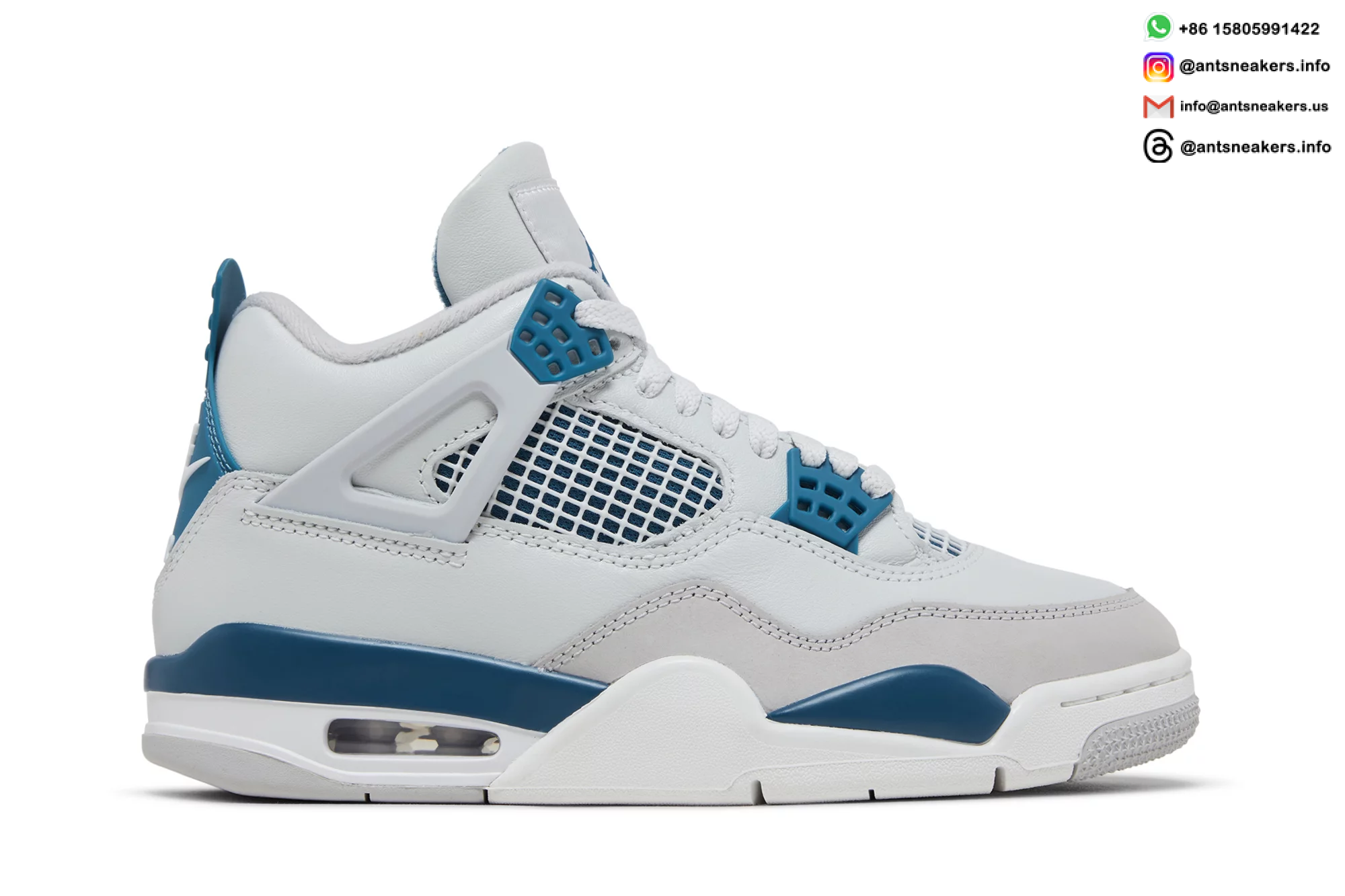
Give every note the FV5029-141 reference
Start by putting FV5029-141 at the top of your notes. Product names and blue-and-white color descriptions can overlap across listings, while the style code gives you a precise page reference. Confirm that the title, URL, and any message about a size all point to the same code before comparing photographs or measurements.
Keep observations limited to what the current page actually shows. A photograph can help you assess visible shape, panel placement, stitching, and color blocking, but it cannot prove an unseen construction detail. It also cannot establish retail authenticity. UA reps are not authentic retail pairs and should never be represented as such.
Convert the gallery into an evidence map
A structured review is more useful than jumping between close-ups. Make three passes through the available FV5029-141 images and record only clear, repeatable observations.
Map A: full-pair proportions
Begin with full side and three-quarter views. Compare the apparent height of the left and right shoes, the curve from toe to collar, and the general alignment of the midsole. Perspective can distort proportions, so compare matching angles whenever possible. If the two shoes are positioned differently, mark the point as inconclusive instead of treating the difference as a flaw.
Map B: visible joins and component paths
Move to panel edges, overlay paths, mesh areas, eyelet components, and exposed stitch lines. Look for continuity and left-to-right balance where the resolution permits it. A compressed image may hide small details; zooming a poor source does not create evidence. Note which areas are clear and which need a better photograph.
Map C: color-block boundaries across views
Check whether the blue, white, grey, and dark sections shown across the gallery remain consistent from one view to the next. Allow for lighting, white balance, and screen differences. Use color as a placement check, not as a promise that the physical pair will match your display exactly. Do not infer unlisted materials or finishes from color alone.
Write a one-gap photo request
If a decision-critical view is absent, ask for that view directly. A useful request includes the product code, your intended labeled size, and one named angle. For example: “For FV5029-141 in the labeled size I selected, can you provide a current straight-on heel photo?” Other useful requests may include a top-down toe view, both lateral sides in one frame, the outsole, or a readable size-label image.
A narrow request is easier to answer and verify than a general request for more pictures. Do not assume that an image from another Air Jordan 4 listing represents FV5029-141, even if the overall shape looks similar.
Pair the labeled size with two personal numbers
The product name alone cannot determine your best size. Foot length, width, sock choice, preferred toe room, and manufacturing variation can all affect the result. Instead of relying on a universal “true to size” statement, prepare two personal reference numbers before selecting an option.
- Measure both feet while standing and record the longer heel-to-toe length.
- Choose a sneaker that fits you comfortably and note its labeled size.
- If its insole is removable, measure that insole from end to end without bending it.
- Ask for the internal-length or removable-insole measurement tied to the exact FV5029-141 labeled size you are considering.
- Compare the response with your foot and reference-shoe measurements, allowing for your preferred room.
The result is a comparison record, not a promise of fit. If width commonly affects your footwear choices, include that context in the sizing message rather than assuming that length alone settles the decision.
Separate live-page facts from unanswered fields
Use the live listing for current images, available labeled sizes, price, and any stated product information. Ask directly about anything important that is not shown. Do not infer included accessories, packaging, inventory, shipping time, or delivery date. Those details can change and should come from the current page or a direct response for the intended order.
The same rule applies to photographs: they document what is visible in the listing at the time you check it. They are not a guarantee about every pair or an independent quality ranking.
Assemble the final photo-to-measurement record
Before ordering, create a short final record that you can review without relying on memory:
- Product reference: FV5029-141.
- Selected labeled size and your longer foot measurement.
- Reference-shoe size and insole measurement, if available.
- The current product-page date you reviewed.
- Any missing-angle request and the response received.
- Any size-specific internal or insole measurement supplied.
Return to the live page immediately before checkout and confirm that the style code and selected option still match your notes. If the gallery or available options have changed, reassess the new information rather than relying on an older screenshot.
Review the live Air Jordan 4 Military Blue FV5029-141 listing.